> ## Documentation Index
> Fetch the complete documentation index at: https://dripart-chore-sync-comfy-api-v2-spec-b886298.mintlify.site/llms.txt
> Use this file to discover all available pages before exploring further.
# Qwen-Image-Edit-2511 ComfyUI 原生工作流示例
> 在 ComfyUI 中使用 Qwen-Image-Edit-2511 编辑图像,角色一致性更强,支持多人编辑、LoRA 集成与更强大的几何推理能力。
**Qwen-Image-Edit-2511** 是 Qwen-Image-Edit-2509 的增强版本,具有多项改进,包括显著提升的一致性。该模型将 Qwen-Image 独特的文本渲染能力扩展到编辑任务,实现精准的文字编辑,同时具备语义/外观双重编辑能力。
**Qwen-Image-Edit-2511 的主要增强**:
* **减少图像漂移**:编辑操作期间稳定性提升
* **改进角色一致性**:在创意编辑过程中更好地保留身份和视觉特征
* **多人一致性**:将多张人物图像高保真融合为连贯的合照
* **集成 LoRA 功能**:热门社区 LoRA 直接内置于基础模型中
* **增强工业设计生成**:更好地支持批量工业产品设计和材质替换
* **强化几何推理**:直接生成用于设计或标注的辅助构造线
**官方链接**:
* [GitHub 仓库](https://github.com/QwenLM/Qwen-Image)
* [Hugging Face](https://huggingface.co/Qwen/Qwen-Image-Edit-2511)
* [ModelScope](https://modelscope.cn/models/Qwen/Qwen-Image-Edit-2511)
* [技术报告](https://qianwen-res.oss-cn-beijing.aliyuncs.com/Qwen-Image/Qwen_Image.pdf)
* [博客](https://qwenlm.github.io/blog/qwen-image-edit-2511/)
## Qwen-Image-Edit-2511 ComfyUI 原生工作流示例
请确保你的 ComfyUI 已经更新。
* [ComfyUI 下载](https://www.comfy.org/download)
* [ComfyUI 更新教程](/zh/installation/update_comfyui)
本指南里的工作流可以在[工作流模板](/zh/interface/features/template)中找到。如果找不到,可能是 ComfyUI 没有更新。
如果加载工作流时有节点缺失,可能原因有:
1. 你用的不是最新版(每夜版)。
2. 启动时有些节点导入失败。
* [Cloud](https://cloud.comfy.org) 会在 ComfyUI 稳定版本发布后更新。
所以,如果你发现本文档中有任何核心节点缺失,可能是因为新核心节点尚未在最新稳定版中发布。请等待下一个稳定版发布。
Qwen Image Edit 2511 - 材质替换
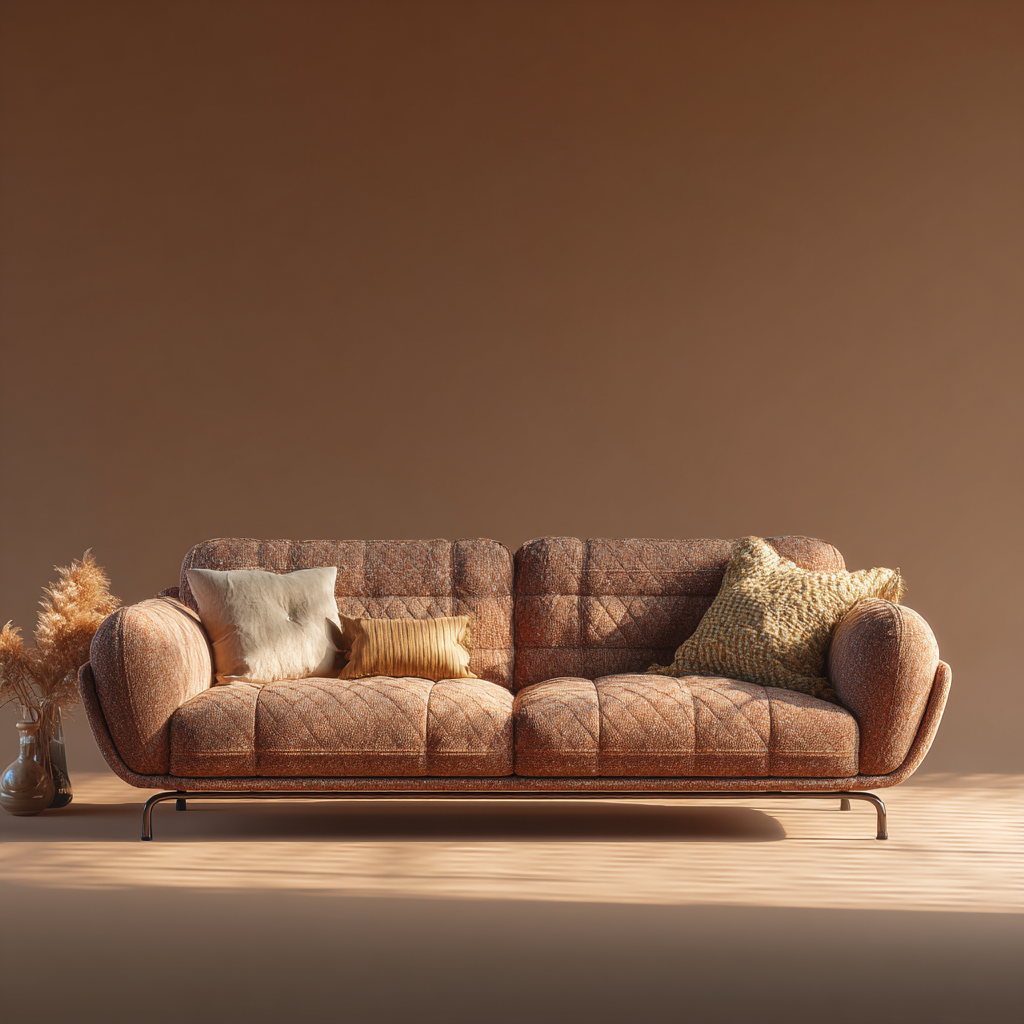
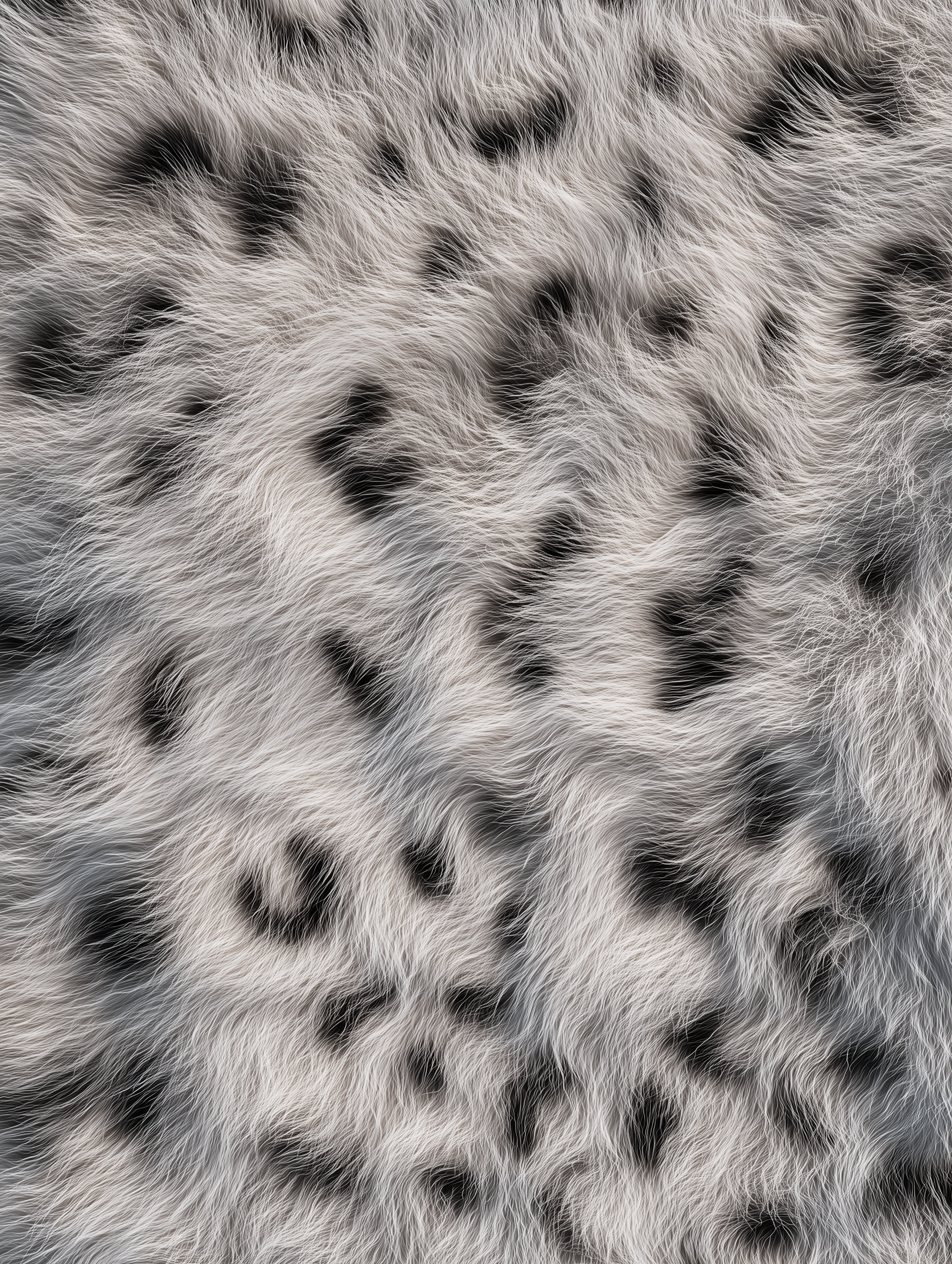
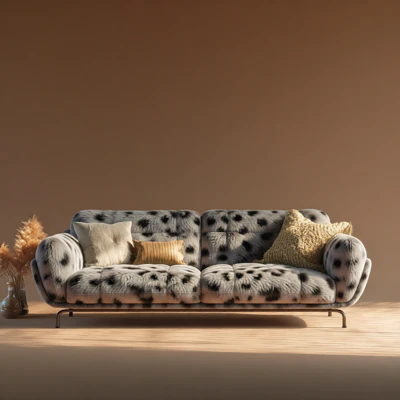
通过结合参考图像与 Qwen-Image-Edit-2511,替换物体(例如家具)中的材质。
 在 Comfy Cloud 中打开
下载 JSON,或在模板库中搜索「Qwen-Image-Edit-2511」
**输入材料**
上传以下文件到对应的 `LoadImage` 节点:
`LoadImage` 节点 41 · `leather_sofa.png`
`LoadImage` 节点 83 · `texture_fur.png`
**示例输出**
### 1. 工作流文件
更新 ComfyUI 后你可以从模板中找到工作流文件,或者将上面的工作流预览拖入 ComfyUI 中加载。
### 2. 模型下载
**Text Encoders(文本编码器)**
* [qwen\_2.5\_vl\_7b\_fp8\_scaled.safetensors](https://huggingface.co/Comfy-Org/HunyuanVideo_1.5_repackaged/blob/main/split_files/text_encoders/qwen_2.5_vl_7b_fp8_scaled.safetensors)
**LoRA(可选 - 用于 4 步 Lightning 加速)**
* [Qwen-Image-Edit-2511-Lightning-4steps-V1.0-bf16.safetensors](https://huggingface.co/lightx2v/Qwen-Image-Edit-2511-Lightning/blob/main/Qwen-Image-Edit-2511-Lightning-4steps-V1.0-bf16.safetensors)
**Diffusion Models(扩散模型)**
* [qwen\_image\_edit\_2511\_bf16.safetensors](https://huggingface.co/Comfy-Org/Qwen-Image-Edit_ComfyUI/blob/main/split_files/diffusion_models/qwen_image_edit_2511_bf16.safetensors)
**VAE**
* [qwen\_image\_vae.safetensors](https://huggingface.co/Comfy-Org/Qwen-Image_ComfyUI/blob/main/split_files/vae/qwen_image_vae.safetensors)
**模型存储位置**
```
📂 ComfyUI/
├── 📂 models/
│ ├── 📂 text_encoders/
│ │ └── qwen_2.5_vl_7b_fp8_scaled.safetensors
│ ├── 📂 loras/
│ │ └── Qwen-Image-Edit-2511-Lightning-4steps-V1.0-bf16.safetensors
│ ├── 📂 diffusion_models/
│ │ └── qwen_image_edit_2511_bf16.safetensors
│ └── 📂 vae/
│ └── qwen_image_vae.safetensors
```
在 Comfy Cloud 中打开
下载 JSON,或在模板库中搜索「Qwen-Image-Edit-2511」
**输入材料**
上传以下文件到对应的 `LoadImage` 节点:
`LoadImage` 节点 41 · `leather_sofa.png`
`LoadImage` 节点 83 · `texture_fur.png`
**示例输出**
### 1. 工作流文件
更新 ComfyUI 后你可以从模板中找到工作流文件,或者将上面的工作流预览拖入 ComfyUI 中加载。
### 2. 模型下载
**Text Encoders(文本编码器)**
* [qwen\_2.5\_vl\_7b\_fp8\_scaled.safetensors](https://huggingface.co/Comfy-Org/HunyuanVideo_1.5_repackaged/blob/main/split_files/text_encoders/qwen_2.5_vl_7b_fp8_scaled.safetensors)
**LoRA(可选 - 用于 4 步 Lightning 加速)**
* [Qwen-Image-Edit-2511-Lightning-4steps-V1.0-bf16.safetensors](https://huggingface.co/lightx2v/Qwen-Image-Edit-2511-Lightning/blob/main/Qwen-Image-Edit-2511-Lightning-4steps-V1.0-bf16.safetensors)
**Diffusion Models(扩散模型)**
* [qwen\_image\_edit\_2511\_bf16.safetensors](https://huggingface.co/Comfy-Org/Qwen-Image-Edit_ComfyUI/blob/main/split_files/diffusion_models/qwen_image_edit_2511_bf16.safetensors)
**VAE**
* [qwen\_image\_vae.safetensors](https://huggingface.co/Comfy-Org/Qwen-Image_ComfyUI/blob/main/split_files/vae/qwen_image_vae.safetensors)
**模型存储位置**
```
📂 ComfyUI/
├── 📂 models/
│ ├── 📂 text_encoders/
│ │ └── qwen_2.5_vl_7b_fp8_scaled.safetensors
│ ├── 📂 loras/
│ │ └── Qwen-Image-Edit-2511-Lightning-4steps-V1.0-bf16.safetensors
│ ├── 📂 diffusion_models/
│ │ └── qwen_image_edit_2511_bf16.safetensors
│ └── 📂 vae/
│ └── qwen_image_vae.safetensors
```